 Revapin
Best Image Sizes and Dimensions for Pinterest Pins (2026)
For a standard pin, the size that works is a 2:3 vertical ratio, around 1000 by 1500 pixels. Pinterest is a tall, narrow feed, so vertical images take up more room and get noticed. Go wider or square and your pin shrinks next to everything around it.
Why vertical wins
The feed is a set of narrow columns, and it gives more height to taller pins. A 2:3 image fills its column top to bottom, while a square or landscape image leaves gaps and reads as smaller. Push the ratio much past 2:3 and Pinterest starts cropping the pin in the feed, so the tall-but-not-too-tall shape is the sweet spot.
The sizes worth knowing
Most of what you'll make falls into a few formats:
- standard pin: 2:3 ratio, 1000 × 1500 px;
- square pin: 1:1, 1000 × 1000 px, useful for product shots;
- longer infographic pin: up to 1:2.1, but expect feed cropping;
- video and idea pins: vertical 9:16, like a phone screen.
If you only remember one, remember 1000 × 1500. It's the shape almost everything on Pinterest is built around.
File types and resolution
PNG and JPG both work. PNG holds up better for graphics with text and flat color; JPG is fine for photos and keeps the file smaller. Aim for a crisp, high-resolution source, since a soft or pixelated pin looks worse the moment someone taps to enlarge it.
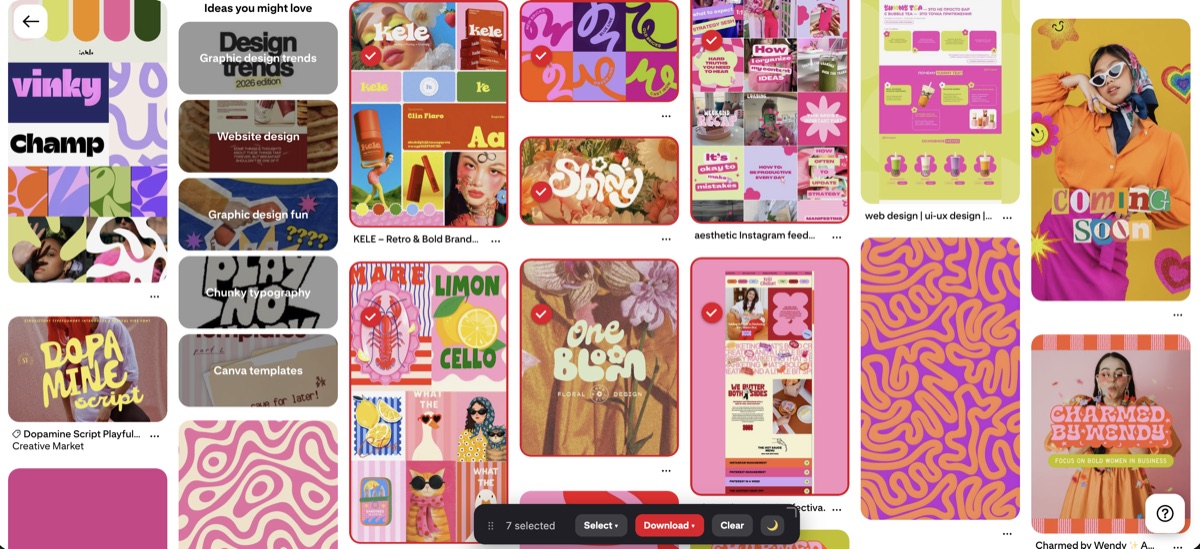
Studying pins that already work
A fast way to learn what performs is to look closely at pins that already do well in your niche. Saving a set of them at full resolution lets you see the real proportions, text placement, and crop, rather than guessing from the small feed preview. Revapin downloads reference pins straight to your computer at their original size, so you're measuring the actual image instead of a thumbnail.
Common sizing mistakes
The usual slip-ups are easy to avoid once you know the ratio. Landscape images get lost in the feed. Overly long pins get cropped, so the bottom third goes unseen. And text placed near the very edges can be cut off on some screens, so keep anything important away from the borders.
Design to 2:3 at 1000 × 1500, keep your source sharp, and reserve square for products and 9:16 for video. Get the shape right and your pin is already ahead of half the feed before anyone reads a word of it.
Revapin is not affiliated with, sponsored by, or endorsed by Pinterest. Pinterest is a trademark of Pinterest, Inc.