 Revapin
Understanding the Pinterest Home Feed: Why You See What You See
The Pinterest home feed isn't a timeline. It doesn't show you the newest pins in order — it shows what Pinterest predicts you'll save, based on what you've saved, searched, and clicked before. Once you know that, the odd mix of pins makes sense, and you can push it in the direction you want.
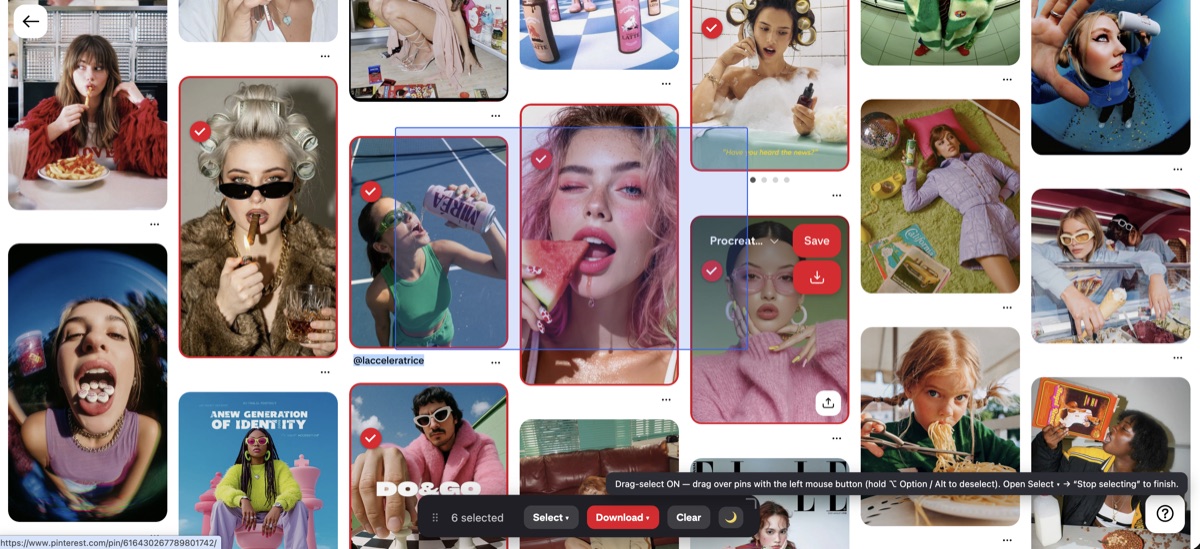
What drives the feed
Three signals do most of the work: the boards and pins you save, the terms you search, and the pins you actually click into. Saving matters most, because it's the clearest sign you want more of something. A pin you scroll past means little; a pin you save tells Pinterest to find twenty more like it.
Why it's not chronological
Instagram and older feeds show posts by time. Pinterest treats itself as a search-and-discovery tool, so a pin from three years ago can appear if it matches your interests better than something posted today. That's why the same board can surface old pins — age isn't the sorting factor, relevance is.
Steering it on purpose
Because your actions train the feed, small habits change it fast. If it's drifting somewhere you don't want, correct it directly:
- save pins from the topics you want more of;
- use the "hide" option on pins that miss;
- search for a subject to signal fresh interest.
Keep the pins you love before they change
The feed is always shifting, and a pin you meant to come back to can drop out of view or get deleted at the source. A browser extension can save a pin or a whole board to your computer so it doesn't depend on the feed; Revapin downloads them as full-resolution images you keep for good.
Treat the feed as a mirror of your own behavior. Save deliberately, hide what doesn't fit, and it tightens up within a few sessions.
Revapin is not affiliated with, sponsored by, or endorsed by Pinterest. Pinterest is a trademark of Pinterest, Inc.