 Revapin
Revapin vs Screenshotting Pinterest: Why Quality Matters
Screenshotting a pin is the reflex most people reach for, and for a quick reference it's fine. The catch shows up later, when you open that screenshot and it looks softer than you remember. A screenshot captures whatever is on your screen, which on Pinterest is usually a shrunk-down preview rather than the original image.
What a screenshot actually captures
When you screenshot a pin, you get exactly the pixels the browser was showing, at the size it was showing them. Pinterest loads a small version in the feed so pages stay fast, so the file you end up with is often a few hundred pixels wide. A screenshot also grabs anything else on screen at that moment:
- your cursor, if it drifted over the image;
- the edges of neighbouring pins you have to crop out;
- the exact resolution of your monitor, not the image.
It works, but you're left cropping and cleaning up, and the result is still only as sharp as the preview was.
What downloading the original does instead
An extension can request the original file directly rather than copying what's on screen. Revapin pulls the full-resolution image Pinterest stores, so what lands on your computer is the real file, cleanly cropped to just the pin, with no cursor and no neighbours to trim. You can also grab a batch at once instead of screenshotting pins one at a time.
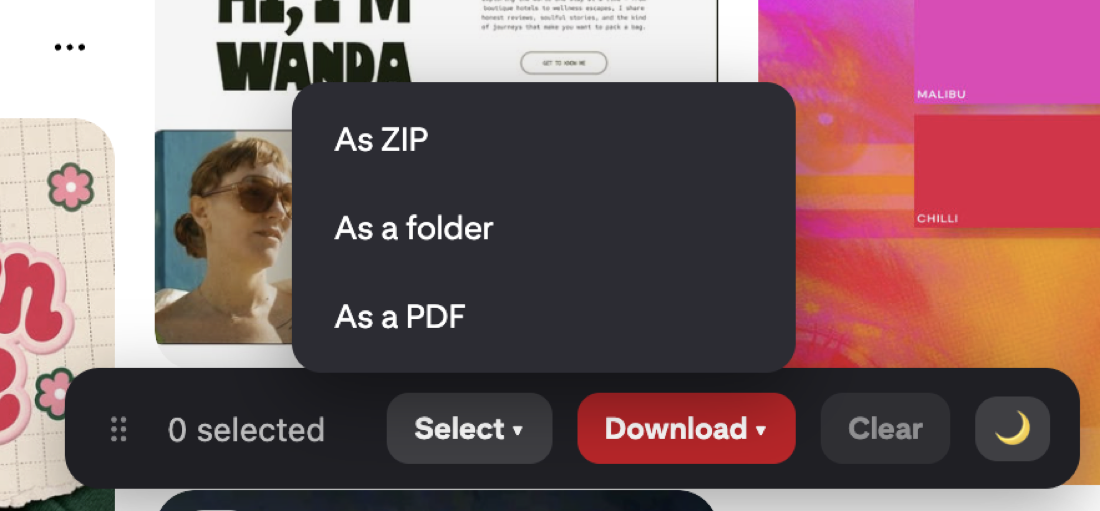
It's free to add, and for anything you'll actually reuse, starting from the original saves the cleanup and the quality loss.
When a screenshot is genuinely fine
Not everything needs the original. If you're firing a pin into a group chat, jotting a rough idea, or saving something you'll glance at once and forget, a screenshot is faster and perfectly good. The quality gap only bites when the image has to hold up.
When it isn't
Print is the obvious one; a preview-sized image looks rough on paper. Design work is another, where you might scale a texture across a background or crop in tight on a detail. A moodboard you hand to a client reads as amateur if half the images are soft. For those, the original file is worth the extra two seconds.
Screenshotting and downloading solve slightly different problems. One is for a passing glance, the other for anything you'll build on. Knowing which you're doing saves you re-finding a pin later because the version you kept wasn't good enough.
Revapin is not affiliated with, sponsored by, or endorsed by Pinterest. Pinterest is a trademark of Pinterest, Inc.